mcp2xiaozhi
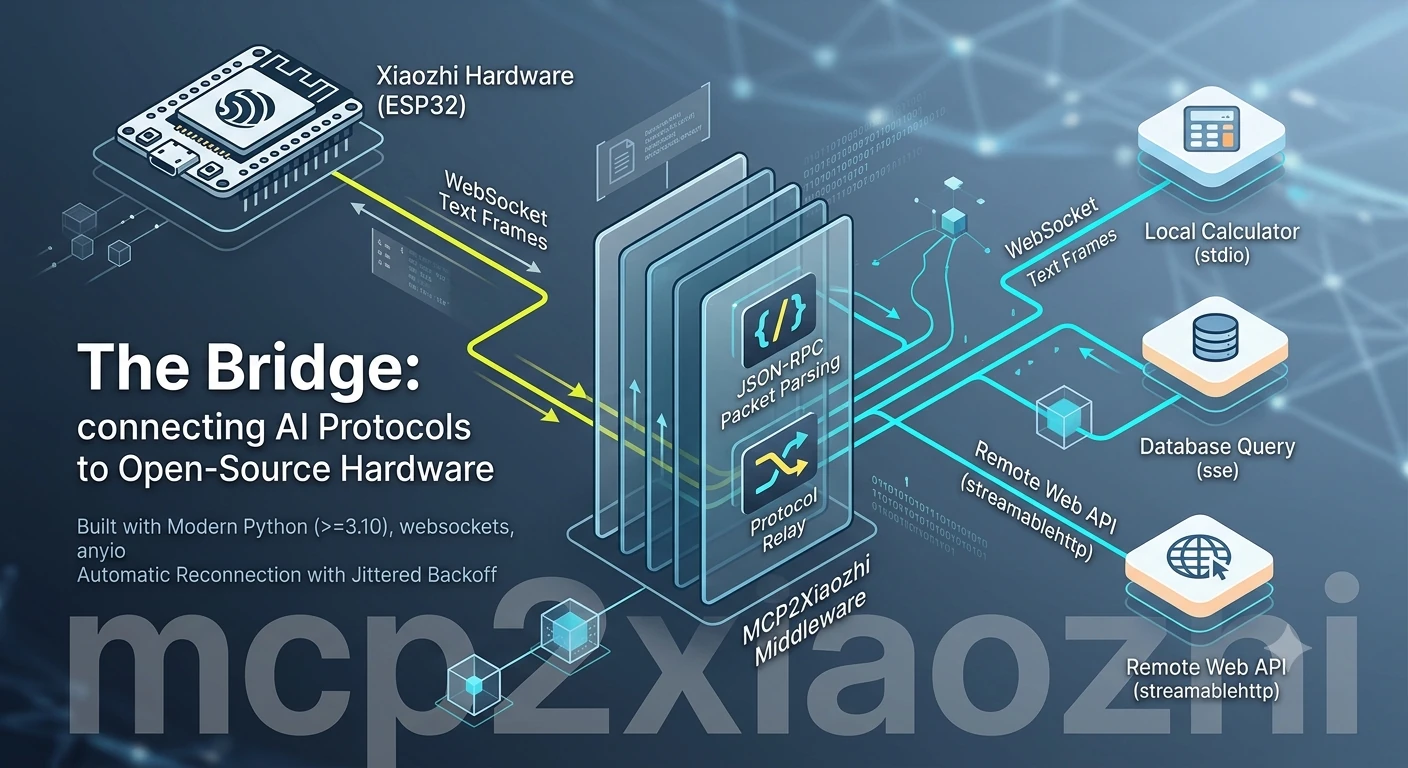
Bridge any MCP server (stdio / SSE / StreamableHTTP) to a Xiaozhi server over WebSocket.




The Xiaozhi server acts as an MCP client over a WebSocket: it sends JSON-RPC
tool calls as text frames and expects JSON-RPC replies. mcp2xiaozhi receives
those frames and relays them — at the protocol level — to your MCP server,
wherever it runs and whatever transport it speaks.
                 JSON-RPC over WebSocket (text frames)
   ┌──────────────────────┐   wss://…    ┌──────────────────────┐
   │   Xiaozhi server     │ ◄──────────► │   mcp2xiaozhi bridge │
   │  (acts as MCP client)│              └──────────┬───────────┘
   └──────────────────────┘                          │  JSON-RPC
                              ┌──────────────────────┴───────────────┐
                              │   stdio        │   SSE   │   HTTP    │
                              ▼                ▼         ▼           ▼
                         local process    remote server          remote server
Features
- 🔄 Three transports, one bridge —
stdio,sse,streamablehttp(http), all native, nomcp-proxysubprocess. - 🧱 Protocol-level relay — frames parsed as
JSONRPCMessage(wrapped in the SDK'sSessionMessage), validated, re-serialized. Malformed frames are dropped, not fatal. - 🔁 Automatic reconnection — exponential backoff with jitter; clean closes distinguished from abnormal ones.
- 🗂️ Multi-server — run one bridge or every server in your config; each server gets its own endpoint.
- 🖥️ Cross-platform — UTF-8 console handling on Windows, graceful
SIGINT/SIGTERMshutdown. - 📦 Real package — PyPI, CLI, type hints, 42 tests, CI, uv-managed.
Install
Next steps
- 🚀 Quick Start — get a bridge running in minutes
- 🔧 Configuration —
mcp_config.jsonschema & endpoint resolution - 🔀 Transports — stdio / SSE / StreamableHTTP details
- 💻 CLI —
mcp2xiaozhi run | list | version - 🐍 Programmatic API — embed the bridge in your code
- 🇨🇳 中文文档